You pay for delivery even when nobody collects.
The parcel goes out, the customer does not answer, it comes back. The shipping is spent and you do not get it back, and many couriers charge for the return as well, usually about half the amount. SferaFlow checks the customer before the parcel leaves and tells you when it is smarter not to send.
About three minutes to set up. No developer and your theme stays untouched.
What it costs you now
The mathsWith most couriers it is about half the outbound. Put 0 if returns are not charged to you.
36 failed deliveries a month at 12 KM each
5,184 KM per year
We will not promise this number goes away. We will show you which orders create it, while you can still stop them.

 Another courier can be added once they open API access to you.
Cash on delivery does not lose money at once. It loses it in instalments.
Four things that happen every month. Not one of them shows up in a sales report.
The courier brings the parcel back
The outbound shipping is spent and you do not get it back. If your courier charges for the return, and most charge about half, you pay that too. The stock was out for three to five days and could not be sold.
full shipping, no saleThe same customer orders again
They have refused delivery three times already. That fact lives in your head, and your head cannot check every order.
same cost, againA duplicate slips through
One person orders twice within an hour. Two parcels leave for the same address and only one of them is ever paid for.
one delivery wastedManual checking eats the day
Spreadsheets, messages, phone calls, memory. Work a machine finishes in a second and you finish in half an hour. Every day.
5 to 10 hours a monthSix checks before the parcel reaches the courier
Every order goes through the same set of questions. If one answer looks wrong, the order stops and asks you. It never cancels itself.
Same product, same day
The customer already ordered this item today. Usually that is a double click rather than two orders.
Same product already in transit
One unit is on its way to them. The second will almost certainly be refused at the door.
Same product delivered recently
They received it last week. Either it is a mistake or it is something else. Either way you want to know before you send.
Several orders on one day
The customer has a few open orders. Merge them into one parcel instead of paying for three deliveries.
Previous returns
This customer has sent parcels back before. How often and when sits next to the order, before you click reserve.
Too many orders too quickly
Several orders in a few minutes, from one phone number or address. That pattern rarely means a real buyer.
Two signals that inform rather than stop
Customer delivery rate. How many of their parcels were actually collected.
Product return rate. Whether the trouble comes from the buyer or from the item.
You set the thresholds, per store. How many returns are too many and how many minutes count as too fast is not our decision.
Four jobs somebody else does from today
Under each one: what it is, and what it means for your hours and your margin.
Shopify and X-Express connected
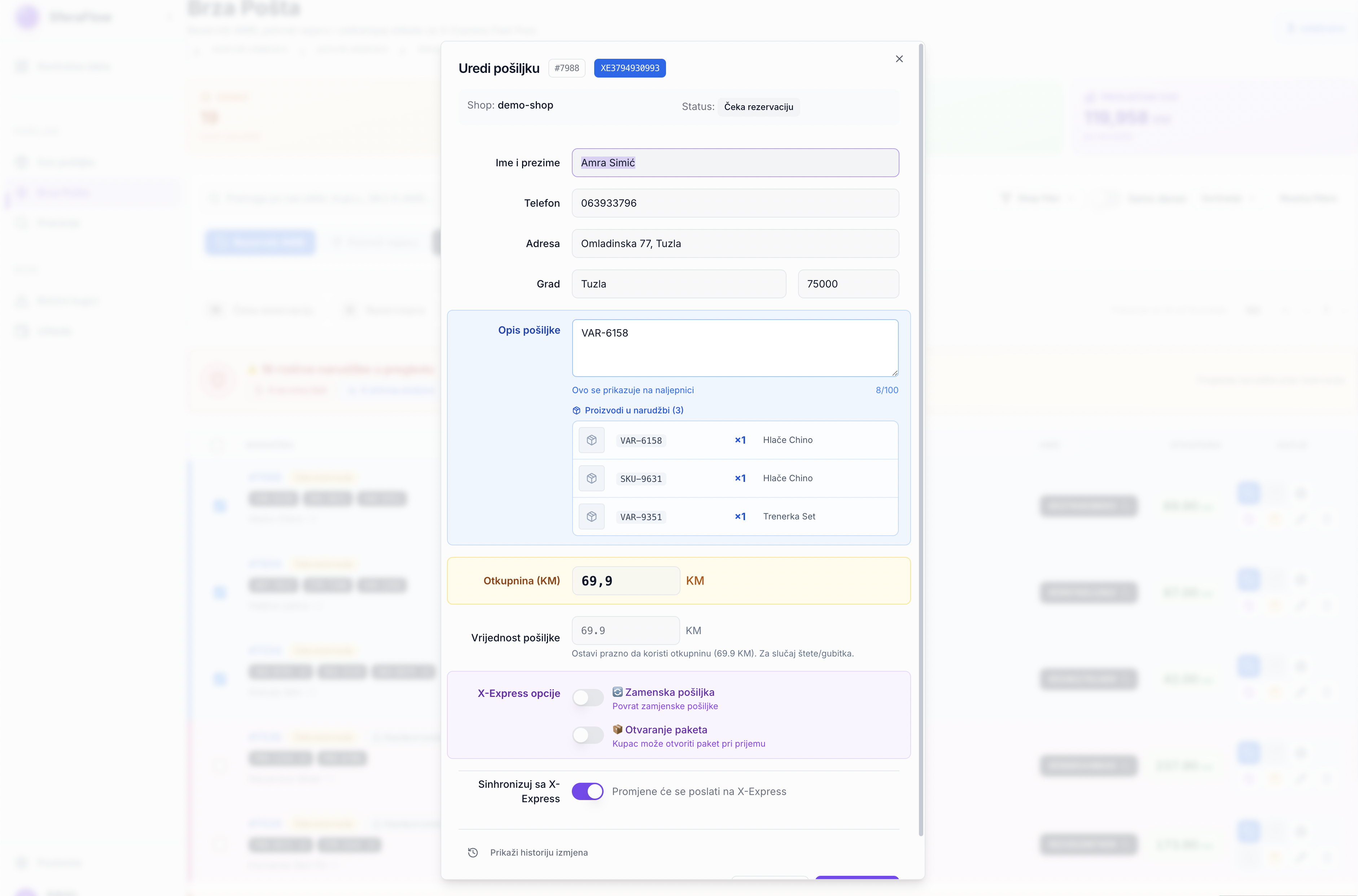
The Shopify order arrives already filled in: name, address, phone, items, amount due. You reserve the tracking number, confirm the pickup and print the label from the same row, and the number is written back into the Shopify order on its own.
You stop copying addresses into a courier portal and pasting tracking back into Shopify. What took three minutes per parcel now takes one click.

Risky customers and blacklist
A list of everyone who has sent parcels back, with the number of returns, what they cost you and the date of the last one. If you already keep your own list in a spreadsheet, you import it as one file.
You do not wait for the app to build history. You import the list you already have and the checks work from the first order.

Shipment overview
The status of every parcel is pulled from the courier automatically: announced, in transit, delivered, returned. Alongside it the amount due, the return rate and turnover by day, city and product.
You stop opening the courier portal to find out where things are, and you see whether the business pays off while you can still change something.

Labels and pickups
A4 and thermal formats, pickup confirmation for the courier, bulk printing for the whole day at once.
The courier arrives for a finished parcel, not for your explanation of what goes where.
From install to the first check
Install from the App Store
Click install and approve access to orders. Nothing is installed into your store and your theme stays untouched.
Add your courier details
The username and password your courier gave you. This is also where you import your existing list of customers you do not ship to.
Ship the way you always did
The checks run from the first order, on thresholds that are already set. Duplicates are caught straight away, warnings about past returns once it has your history.
Does the flagging actually hit
The rules were applied to the history of five stores, across 9,360 shipped orders with a known outcome.
The rules were applied in hindsight, but only to data that was known at the time of the order. The gap holds inside every store on its own, between two and three times, so it is not one customer or one month. A further 165 orders were stopped before shipping and are not in this sample.
The questions people ask first
Does the app block orders for me?
No. A risky order is flagged and asks for confirmation. The decision is yours. One click and the parcel goes out, with the reason recorded next to it.
Which courier does it work with?
X-Express today. Another courier can be added, but they have to open API access to you. You ask them as their customer, we do the integration.
Do you share my customers' data with other merchants?
No. Return history never crosses between different merchants, in either direction. If you run several stores yourself, they share history with each other because they are all yours, and that is useful: a customer who sent a parcel back from one of your stores is flagged in the other.
How long does setup take?
About three minutes. Install the app, enter your courier details, and that is it. No developer and no theme changes.
Can I run several stores?
Yes. One account runs several Shopify stores. Thresholds are set per store, while customer history is shared across your own stores.
What does it cost?
Pricing and the trial are on the Shopify App Store listing. Billing runs through your Shopify account.
Does it work right after installing?
Duplicates and bursts of orders are caught from day one, because that only needs today's traffic. Warnings about past returns need history, but you do not have to wait for it: if you already keep a list of customers you do not ship to, you import it from a spreadsheet and the checks work at once.
What if it flags a good customer?
A flagged order is not a cancelled order. You click confirm and it goes out, with the reason recorded next to it. Those records later show you how often the warning turns out to be right, and you tune the thresholds from that.
Install today and send your first checked parcel
It works with the process you already have. It does not touch your theme or your checkout, and it needs no developer.
What you get today
SummaryBilling runs through your Shopify account. Uninstalling is one click and leaves nothing behind in your store.
Using a courier that is not on the list?
Tell us which courier you use and request API access in your own name, since couriers grant it to their own account holders. You pass the details to us and we build the integration.
We use the address only to arrange your integration. We do not share it with anyone.